
-
Advertisement


HawkbitAlpha
-
Posts
564 -
Joined
-
Last visited
-
Days Won
30 -
Doubloons
8,127 [ Donate ]
Content Type
Profiles
Forums
Events
Posts posted by HawkbitAlpha
-
-
I 100% would've jumped on Muse if you didn't first. That being said:
-
 1
1
-
-
7 hours ago, 4EverGreen said:
Question, can our submissions include any music actually featured IN a video game, or a movie based on a video game?
Both, as long as they fit the sound we're talking about!
-
On 3/3/2024 at 10:44 AM, Danny DeVito said:
is there a HawkbitOmega
That's the name I use when I'm showing off my O face
-
**** SBCOMMUNITY BASIC ****
64K RAM SYSTEM 38911 BASIC BYTES FREEREADY.
LOAD"THESBCCOMMUNITYMIXTAPE16",8,1:
SEARCHING FOR THESBCCOMMUNITYMIXTAPE16
LOADING
READY.
Hello again, fellow kids, and welcome to the 16th edition of the SBC Community Mixtape! It's been a few months since our last entry, and with it, it's time that we brought this tradition back with a bang. So, as we kick Arcade Anarchy III into motion, what better way to get back into the Mixtape series with a bit of a challenge? By that, I mean that our theme this time is:
CHIPS AND BITS
Some of the best soundtracks in gaming history have been powered by the most basic of audio hardware, only capable of outputting simple beeps and white noise. That distinct sound has also given rise to the genre of chiptunes, modern music made using vintage game hardware. Whether it's a chiptune, or a genuine game soundtrack from back in the day, I want all of you to bring the best retro game-sounding music you can think of. Be it from the NES, the Game Boy Advance, or anything in between, this mixtape is all about the essence of 8-bit and 16-bit music, and the kind that captures it in spirit.
The rules:
- From now on, we're doing away with fixed total time limits on submissions per person. Just try and not go overboard, is all we ask.
- Since a lot of submissions here will probably not be on Spotify, we'll be doing this one as a Youtube playlist. That being said, you can make your submissions as either a Youtube playlist of your own, or simply list the songs you want to add in the replies below.
- Joke/troll entries can and most likely will be excluded.
- No repeat entries (can't submit the same thing as somebody else).
Tentative deadline for submissions is next Saturday, March 16th. Until then, I'm off to search for a functioning Bosconian cabinet.
SpoilerHawkbitAlpha:
*Meganeko & Rymdkraft - Astro Soda
*rj lake - Cherry Blossom Monster Movie
*Chipzel - Fighting Chance
*Chipzel - Courtesy
*Chipzel - Focus
*Steve Rowlands - Cyberdyne Warriors Theme
*Jori Olkkonen - The Purser Stole My Gun (Netherworld C64 Theme)-
2
-
Best song in the SB Musical?
-
 1
1
-
-
Can you tell me how to get to Sesame Street?
-
 1
1
-
-
Welcome to Rally's! How may I help you?
...obligatory Cashier joke aside: hello, fellow enby and SB Musical enjoyer! We have most of our happenings going on over at the SBC Discord nowadays, but the forums do still get a fair amount of use.
-
1
-
-
FATHEEEEEEEEEEEEEEEEEEEEEEEEEEEEEEEEEEEEEEEEEEEEEEERRRRRRRRRRRRRRRRRRRRRRR
-
2
-
-
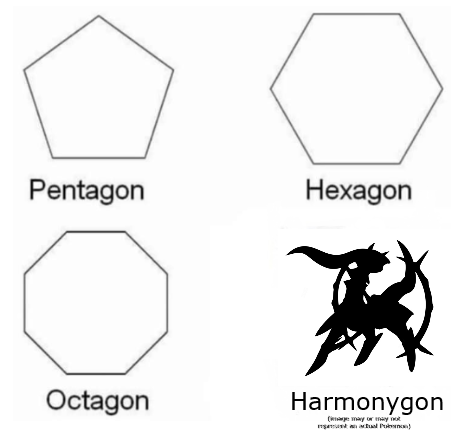
3 hours ago, Old Man Jenkins said:
“Harmonygon” is the icing on the harmonic cake

-
 3
3
-
-
Voting is now closed, and the winners have all been determined. Tune in on Discord this Saturday at 8PM EST to hear the final results!
-
Last day of voting, y'all. If you've been waiting to get on it, be sure to DM me or jjs for the ballot link soon!
-
 1
1
-
-
ONE, TWO, THREE, FOUR, I DECLARE WE MIX SOME MORE! TWO, FOUR, SIX, EIGHT, WHAT DO WE ALL CREATE? THE COMMUNITY MIXTAPE! Now, uh, let me just get out of this here, uh... cheerleader outfit... hang on, y'all-- OKAY! Yes, it's that time again, to throw vinyl records at the wall and see which ones stick, for the 15th edition of the SBC Community Mixtape! Since we've already done a Christmas mixtape before, we're going to take things in a slightly different direction this year. Our theme this time shall be...
NOSTALGIC HIGHLIGHTS
Every year, when we start entering into the Christmas season, I have these little flashbacks to prior Christmases, and some of my favorite moments of them in years past. It isn't limited just to the holiday season either; sometimes, if I listen to certain songs, I might get mentally tossed back in time to the period in which I first heard it, like how I first heard albums by Dream Theater and Ok Goodnight while living in a big city for the first time. That's what I want y'all to bring to the table this time: songs that you have some kind of association with nostalgic, or otherwise very memorable moments in your life, holiday-related or not. Whether or not you want to also tell the story behind each of your choices is up to you!
As always, the rules:
- Length limits per person: you have a total of 30 minutes worth of music to play with. (This site is great for calculating the times.)
- Try to post your submissions using a Spotify playlist. If this is not possible for you, at least make sure that all of your submissions are available on Spotify.
- Joke/troll entries can and most likely will be excluded.
- No repeat entries (can't submit the same thing as somebody else).
Tentative deadline for submissions is this Saturday, December 30th. Until then, I'll be looking somewhere for a broadband tree.
-
1
-
-
On 11/14/2023 at 12:52 PM, Danny DeVito said:
is there an EaglebitAlpha
There have been attempts to make one. Every single time, the resulting bird squawked the phrase "I WILL NEVER BE A BRONY" and flew off, never to be seen again.
-
...Wait, where am I? What time is it? Why does this whole room smell purpl-- [sneeze] ...OH YEAH.
Hello again, everybody! Just, uh, ignore that. That was just some, uhhh... housekeeping. Anyway! This is your friendly neighborhood furry, Hawk, and allow me to welcome y'all back to the 17th Golden Community Awards! You've all told us over the last few weeks just who belongs in the polls for this year's round of celebrating with the island, and with that out of the way, it's time for the part we've all been waiting for: Da Votes! Do you know who all you want to drop a piece of solid gold onto the head of this year? Well, let us know, by sending your ballot to me in DMs!THE RULES:
- Our way of voting will be a little different this time, as we'll be using a ballot form. To vote, please DM me either here or on Discord, and I'll respond to your message by sending a link to the ballot. Please do not directly send me your list of votes, and especially do not post them here.
- You cannot vote for yourself. If you do, you have to wear the Stinky Boot. (This also applies to anything you've made that was nominated in the Creative Arts categories.)
- You can vote for only one nominee per category.
- You must vote for at least one section. You are welcome to skip a section if you’re not comfortable voting in that field, but it would be nice if votes could be given in all categories.
PRIZES:
Now, what do you get if you happen to net a GCA? Tell 'em what they'll get, Johnny!
- 1,000 doubloons
- 200 experience points
- GCA Winner badge (if not already obtained from previous years)
- A trophy with your name and the corresponding category
With these things in hand, you're free to place them in your profile, on your wall, on a shirt, on a... well, you get the idea. Don't ask me, I don't do fashion or interior design. Now, with all of that said...
DRUM ROLL, PLEASE!
...You're fired, Johnny.
GOLDEN COMMUNITY AWARDS XVII - NOMINEES
MEMBERS
Funniest Member
Candidates -- Wumbo, Prez, dman, OWM, Jjs, ChaKindest Member
Candidates -- Meko, ExKizuna, SOF, Cha, That Excited SpongeKid, KatieSpongiest Member
Candidates -- BobCarotte, Salmon, WinterArcanine, Meko, 4EverGreen, AppyBest Gamer
Candidates -- WinterArcanine, Hawk, ExKizuna, Cha, Jjs Goodman, dmanShow Stopper
Candidates -- WhoBob, Katie, Storm, Kev, Jjs Goodman, ClappyGeekiest Band Geek
Candidates -- Prez, Katniss, Kev, SBManiac, Steel, FredMost Artistic Member
Candidates -- Cha, Salmon, Steel, Nuggets, RDSP, DarknessDGSportiest Member
Candidates -- Trophy, Clappy, Illiniguy, Katniss, JCM, PrezCREATIVE ARTS
Best Creation
Candidates -- JCMovies (JCM), SpongeBrawl (OMJ), Toast Krusters (OMJ), A Bikini Bottom Dream (Meko), Power Rangers: Multiverse Force (4EverGreen), SpongeBob SquarePants: Lost in Translation (Steel)Best Miniseries
Candidates -- Patrick Star in the Multiverse of Madness (JCM), Aquatic Avengers: Unite! (Jjs), One-Time Power Rangers Characters: Where Are They Now? (Ex and Jjs), Community Deathmatch 10th Anniversary (OMJ), MegaloMania (OMJ), Jjs’ Riffing Theater 3000: Tales from the Internet (Jjs and crew)Best Episode
Candidates -- JCM Hunts for Lost Media (JCMovies - JCM), Act V (Parick Star in the Multiverse of Madness - JCM), Unite (Aquatic Avengers: Unite! - Jjs), Squidward Kills The SpongeBob Universe (A Bikini Bottom Dream - Meko), Pau’ana (Tiki Land - Steel), Mutually Assured Destruction (MegaloMania - OMJ)Best Comedy
Candidates -- JCMovies (JCM), Jjs’ Riffing Theater 3000: Tales from the Internet (Jjs and crew), One-Time Power Rangers Characters: Where Are They Now? (Ex and Jjs), A Bikini Bottom Dream (Meko), SpongeBrawl (OMJ), SpongeBob SquarePants: Lost in Translation (Steel)Best Storyline
Candidates -- Power Rangers: Multiverse Force (4EverGreen), Patrick Star in the Multiverse of Madness (JCM), Aquatic Avengers: Unite! (Jjs), MegaloMania (OMJ), A Bikini Bottom Dream (Meko), Tiki Land (Steel)Best Character
Candidates -- Manny (MegaloMania - OMJ), Lego Patrick (Patrick Star in the Multiverse of Madness - JCM), JCM (JCMovies - JCM), Squidward (A Bikini Bottom Dream - Meko), Sniz (Total Cartoon - 4EverGreen), Blue Arrow (Aquatic Avengers: Unite! - Jjs)Best Artwork
Candidates -- Spicy (Nuggets), Squid Noir (Cha), Wile E. Coyote (Salmon), Hell (RDSP), What Can You Do? (Steel), Amy Rose (Patty)Best Pictionary Drawing
Candidates -- Turtle (Patty), Feral Friends (Carotte), Out of the Picture (Steel), Ghostbusters (DarknessDG), Planet of the Jellyfish (dman), House Worming (Salmon)HALL OF FAME
Honorary Creation
Candidates -- Pirate Legends (Jjs), Total Cartoon (4EverGreen), MegaloMania (OMJ), The Light of SBC (Jjs), SpongeBob SquarePants: Lost in Translation (Steel)Honorary Staff Member
Candidates -- HawkbitAlpha, OWM, TerminoobHonorary Member
Candidates -- Salmon, Meko, Kevin, Prez, dmanHonorary Skin
Candidates -- The Stephen Hillenburg Community (Kieran), The Cosmic Shake Community (Kieran), V13 Sponge (Patty), Orca 8 (tvguy)The deadline to send in your ballots is Wednesday, December 20th. After that, this entire shindig will conclude with the GCAs XVII awards ceremony on Saturday, December 23rd. Until then, remember that we also have water aerobics at 10:00, shuffleboard on the lido deck, and the taco bar is open 24 hours. Thank you, and I'll see y'all on Discord as the votes come!
-
2
-
Nominations are now over. Let the voting process begin!
-
1
-
-
If these are all now gonna have themes just like the Community Mixtapes, then I think this is the pattern I'll try and follow for all of them going forward: one really obvious choice, and two others that are less obvious.
-
2
-
-
Ready... steady... GO!
Here we are at that time of the year again, folks! (No, not that one. Get that cornucopia outta here before I shoot it!) After yet another action-packed year for those of us on SBC, it's time to begin ramping up to the one event that, much like the Dude's rug, really ties it all together: the 17th edition of the Golden Community Awards!
Coming off of a season of leading SpongeCraft Frontiers and other chaotic ventures, it was decided that, for 2023, the duty of hosting this year's GCAs shall fall to yours truly: the Bayou Barnstormer himself, HawkbitAlpha! Does that sound good? I hope so, because, right now, I feel like standing on a rooftop shouting out "baby, I'm ready to go!"
But, of course, our narrator would have to slap me with a fly swatter if we tried to begin so fast. Before anything else, we need to have our nominations for this year's GCAs! There's a few ins, outs, and what-have-yous that go into this process, so how about we go over those now?
- Post your nominations in this thread. It's in the interest of Transparency™, of course!
- Don’t nominate yourself. C'mon, this is a community! What are you people who'd do this? Senators?
- Don’t copy/paste other members' nomination lists. Sure, you'll probably have some of the same choices as others, but no two people will ever have the exact same lists. You can do better!
- When nominating, you must do at least one section. Creative Arts is not required, and staff will choose if nobody else nominates in that.
- You may nominate between 2 to 5 choices in the Members & Creative Arts sections. You can only nominate 2 candidates for the Hall of Fame categories.
- Don’t get upset if you aren’t nominated in this topic. There’s always next year!
Now, what categories are on the block this year, you might be wondering? Let's find out!
GOLDEN COMMUNITY AWARDS XVII - CATEGORIES
MEMBER CATEGORIES
(Notes: A new category, "Sportiest Member", has been added to recognize users passionate about sports. The former awards of "As Seen on TV" and "Most Cinematic Member" have been combined to create the “Show Stopper” category, for our users most passionate about both television and movies together.)
Funniest Member
Kindest Member
Spongiest Member
Best Gamer
Show Stopper
Geekiest Band Geek
Most Artistic Member
Sportiest Member
CREATIVE ARTS CATEGORIES
(Originally for SBC stories, this section has now been retooled to also celebrate the community’s works of visual art.)
Best Creation
Best Miniseries
Best Episode
Best Comedy
Best Storyline
Best Character
Best Artwork
Best Pictionary Drawing
(The Best Artwork category refers to works featured in either the #da-art Discord channel or Squidward’s Art Show, while the Best Pictionary Drawing is for any Pictionary drawing archived on the game’s server. For both awards, be sure to link the image and say who was the artist that created it.)
HALL OF FAME CATEGORIES
(Note: For this section, you can only nominate 2 for each category. One new category has been added: “Honorary Skins.”)
Honorary Creation
(Stories that have had a profound impact on SBC will be nominated.)
("Adventures in the Underground City", "Storm Racers", "Jjs' Riffing Theater 3000", "JCMovies", "Team SpongeBob", "SBCinema", "Community Deathmatch", "Mystic Guardians", “My Leg!”, “Skodwarde”, “The Silly Adventures of Patrick Star”, “One-Time SpongeBob Characters” and “Bikini Bottom Nature Watch” have all won this award previously, and cannot be nominated again.)
Honorary Staff Member
(Staff members who have had a profound impact on SBC can be nominated. Former staff can also be nominated for this award.)
(tvguy, jjs, CNF, Wumbo, Nuggets, JCM, Clappy, Patty Sponge, Cha, Fred, teenj and Katie have won this award previously, and cannot be nominated again.)
Honorary Member
(For ordinary members who you feel deserve special recognition, whether it be based on behavior, activity, or their contributions in general.)
(Current staff - jjs, JCM, Hawk, OWM, Trophy, sbl and Aquatic Konquest - cannot be nominated for this award. Cha, WhoBob, SOF, Hawk, sbl, Katniss, Steel and Ex have won this award previously, and cannot be nominated again.)
Honorary Skin
(To honor the artwork of our brilliant artists over the years by highlighting impactful forum themes.)
(Any skin, present or past, is eligible for nomination. Note that any skin with both a light and dark theme will be counted as the same.)
Everyone has until November 22nd to post their nominations in this thread, but as we always say, the sooner, the better. Let's get the ball rolling and Midas touch this community all the way up, y'all!-
2
-
Since I forgot to post a Discord reminder for this one, the deadline is now tomorrow night.
-
Well, this aged poorly almost instantly. Youtube is now also punching through Brave's internal adblocker. Thankfully, the Friendly extension is still working, at least for now.
-
Y'all might have noticed recently that Youtube has been rolling out increasingly aggressive measures to bring the hammer down on browser adblock extensions, including shutting down video playback entirely for people who use them. We've had discussions around here over the last couple of weeks on how to fight back against this, but the message still seems to be moving slowly. So, instead of continuing to just tell individual people what's going on, I'll tell you everything I've gathered recently.
First order of business: as far as I can tell, the only adblock extension that's still putting up a fight against Youtube is uBlock Origin, which is more advanced than the classic Adblock or AB Plus. That being said, Youtube's system is advancing along with it, and its anti-adblock continues to punch through UBO, forcing its devs to continually update the extension to keep up. At first, in late September, I was told that adding the following set of lines to UBO's filters list would hold Youtube back:
youtube.com##+js(set, yt.config_.openPopupConfig.supportedPopups.adBlockMessageViewModel, false)
youtube.com##+js(set, Object.prototype.adBlocksFound, 0)
youtube.com##+js(set, ytplayer.config.args.raw_player_response.adPlacements, [])
youtube.com##+js(set, Object.prototype.hasAllowedInstreamAd, true)
...but more recently, it seems like this no longer works. The new filter I've seen be posted is this one:
youtube.com#@##YtKevlarVisibilityIdentifierAfter the first filter failed, though, I decided to abandon Opera GX, the browser I've been using for several months. Instead, within the last couple of days, I've moved back to my previous browser Brave, which contains its own internal adblocker that Youtube hasn't been able to touch (at least, not yet). If you're looking for a Chrome-based browser (which, both Brave and Opera GX are) with a powerful adblock system, get Brave, and equip it with uBlock Origin. Short of entirely switching browsers, you might also find some use for a new extension called Youtube Adblock by Friendly, which cheeses the system by just playing Youtube's ads at very fast speed.
At least, all of that is what I wish I could say and be fully done with it. Sadly, I can't, as we now have to talk about the big problem. Google is apparently going to war with the entirety of adblocking, and it's with that in mind that we need to bring up an impending bomb...
QuotePerhaps the most telling line of the explainer is that it "takes inspiration from existing native attestation signals such as [Apple's] App Attest and the [Android] Play Integrity API." Play Integrity (formerly called "SafetyNet") is an Android API that lets apps find out if your device has been rooted. Root access allows you full control over the device that you purchased, and a lot of app developers don't like that. So if you root an Android phone and get flagged by the Android Integrity API, several types of apps will just refuse to run. You'll generally be locked out of banking apps, Google Wallet, online games, Snapchat, and some media apps like Netflix. You could be using root access to cheat at games or phish banking data, but you could also just want root to customize your device, remove crapware, or have a viable backup system. Play Integrity doesn't care and will lock you out of those apps either way. Google wants the same thing for the web.
[...]
Google's document pinky-promises the company doesn't want to use this for anything evil. The authors "strongly feel" the API shouldn't be used to uniquely fingerprint people, but they also want "some indicator enabling rate limiting against a physical device." In the "non-goals" section, the project says it doesn't want to "interfere with browser functionality, including plugins and extensions." That's a veiled reference to not killing ad-blockers, even though the project mentions better advertising support as some of its goals. Chrome already has a "kill ad blockers" plan anyway (or at least "watered-down ad blockers" plan). It's called Manifest V3, which will change the way critical extension APIs work so they can't modify webpage content as effectively. Google also says it doesn't want to "exclude other vendors" from its DRM scheme.
What this means, in short, is that there's a very real chance that any browser based on Chromium can be completely crippled and unable to adblock in the near future. This includes Chrome, Edge, Opera (GX), and sadly, even Brave. In the event that this happens, the browser of last resort will have to be none other than Firefox armed with uBlock Origin, and I'm already installing it on all of my devices in advance.
I'm gonna keep using Brave for now and see how it holds up into the future - and dear god, I hope it continues to stand up against this push of BS by Google. In the meantime, if I come across any updates or useful info relating to this, especially with regards to the Youtube anti-adblock push (i.e. new filter strings), I'll be sure to post them here.
-
3
-
-
What character did y'all pick for your entries? @King Ramses @Freddy Fazbear
-
Hello one, hello all! It's time once again for the next entry of the SBC Community Mixtape, our continuing exercise in finding out how many PokeBlocks you can make out of a collection of Spotify playlists... I think that's what it's supposed to be, anyway. As I'm sure you gathered from the title, this time, we're going for a second entry themed to the spookiest time of year. Last year, we stuck directly to the themes of nightmares and other haunts, but this time around, I'm thinking we should try something a little bit different:
TRACK OR TREAT
Do you happen to plan on going out trick-or-treating this Halloween? Well, even if you don't, pretend for a minute that you will. Think about what character you'd want to be dressing up as for that night on the town. Once you've decided on that, here's your challenge: come up with a playlist of songs that would be a great "soundtrack" for your character. Songs that could play over it as you, let's say, power walk right toward the camera in a movie, "O-Ren in Kill Bill" style. Be sure to also tell us (preferably in your playlist title) what the character you've chosen happens to be!
As always, the rules:
- Length limits per person: you have a total of 30 minutes worth of music to play with. (This site is great for calculating the times.)
- Try to post your submissions using a Spotify playlist. If this is not possible for you, at least make sure that all of your submissions are available on Spotify.
- Joke/troll entries can and most likely will be excluded.
- No repeat entries (can't submit the same thing as somebody else).
Tentative deadline for submissions is this Saturday, October 21st. Now, please excuse me while I try and fail to look for a good Papa Titan costume.
-
1
-
Gather round, all of you potential unconventional conventionists, because it's about time we usher in Octerror Fest with the return of a classic event: the SBC Movie Night, or as we can call it this time, the SBC Fright Night. Now, what flick should rise to the occasion this year for the spookiest of all seasons? Allow me to take you over to the Frankenstein palace, for one night of...
THE ROCKY HORROR PICTURE SHOW - the very deranged, very queer, and truly amazing horror-comedy-musical from the mid-70s that first introduced the world to Tim Curry. After 50 years, this movie still continues to draw crowds of devoted fans into midnight theaters across the world, and I say it's time that SBC gets its own taste of the hot patootie this weekend.
This is one rare movie that lives on audience participation, so I recommend looking up how to indulge in the fun in advance. In other words, put on your best dancing shoes and get ready to do the Time Warp this Saturday night, October 14th!
-
1
-
 1
1
-



The SBC Community Mixtape #17
in K-BLUB
Posted
Welcome back to the mixing zone, my fellow SpongeBobbies, for the 17th edition of the SBC Community Mixtape! I hope y'all are ready for the Day of Black Sun today, but while the US is looking to the sky for the upcoming eclipse, we're once again firing up the good old PokeBlock blender of music to make our next combined concoction. This time, it's going to be with one of our most out-there themes yet, as we'll be...
ROCKIN' THE BOWERY
Allow me to introduce all of you to a little hole in the wall, previously located at 315 Bowery in NYC's East Village, called CBGB. Or, rather, I'll let the main character from the 2009 movie Bandslam explain:
"CBGB: the nerve center of everything that mattered in music in the past 40 years. [...] Birthplace of punk! The Ramones, Patti Smith... Do you know how many times she must have spit on this floor? Bad Brains... Without CBGB, there'd be no Sex Pistols or The Clash, so U2 doesn't get inspired to form a band in Ireland. And the Killers don't hear U2 in Vegas, and decide to pick up guitars... The list is endless!"
More to the point: CBGB was a famed music club in NYC that was the epicenter of punk and new wave. Just about every band you can think of from those particular scenes played there at some point. It closed in 2006, and has since been turned into a men's fashion store, but the music lives on.
Can you tell where I'm going with this? The assignment for everyone this time is to find and add songs by artists that are known to have played at CBGB during its over 40-year lifespan. That list of artists is quite extensive, and to that end, I've taken the time to document them in the spoiler tab below:
This list of artists is taken from the most comprehensive source I could find, an archive site called CBGB Online. Since this catalogues every single band that's played at the club, many of them acts local to NYC, a lot of these will be far more obscure than others.
This also may not be a fully comprehensive list. If there's an artist you want to add who isn't in this list, but who you can find evidence of having performed at CBGB, let me know.
10,000 Maniacs
3 Doors Down
7 Year Bitch
11th Dream Day
AC/DC
Afghan Whigs
Against Me! - taken by Steel
Agnostic Front
Alan Jackson
Alan Lanier
Alex Chilton
Alkaline Trio
Angry Samoans
Ani DiFranco
Annie Golden
Anthrax
Atari Teenage Riot
The B-52s
Babes In Toyland
Baby Moon
Bad Brains
Bad Religion
Bark Market
Battalion of Saints
Beastie Boys
Ben Taylor
Better Than Ezra
Big and Rich
Big Dipper
Big Fat Pet Clams From Outer Space
Billy Bragg
Billy Corgan
Biohazard
Birdland
The Black Crowes
Black Jack Train
The Bloodless Pharaohs
Blondie
Blues Traveler
Body Count
Borbetormagus
Boredoms
Boss Hog
Breakfast Club
The Breeders
The Bronx
Bruce Dickinson
Bruce Springsteen
Burn It Down
Bush
Bush Tetras
Butthole Surfers
Camper Van Beethoven
Cardinal Woolsey
The Cars
Certain General
Cheap Trick
Cheap Perfume
Chocolate Genius
Chris Cornell
Chris Stamey
Chris Whitley
Chrome Cranks
Cibo Matto
Circle Jerks
Circus of Power
CIV
CKY
Clutch
The Colors
Come
Contortions
Cop Shoot Cop
Corrosion of Conformity - taken by Hawk
Cowboy Junkies
Cracker
The Cramps
Crisis
Cro-Mags
Crossfire Choir
Crowded House
Crumbsuckers
The Cryers
D Generation
The Damned
Dandy Warhols
Dashboard Confessional
Dave Matthews Band
David Byrne
David Johansen
Davy Jones
Dead Boys
Dead Kennedys
Dead Milkmen
Deaf School
Deadspot
Defex
Delinquents
The Devil Wears Prada
The Dickies
The Dictators
Didjits
Dinosaur Jr.
Disturbed
Divine
DNA with Arto Lindsay
Don Caballero
Down by Law
Dream Syndicate
Drive In Cryin
Dripping Goss
Drunk Tank
Dumptruck
Eddie Paul and the Make
Eddie and the Hot Rods
Eddie Vedder
Edith Massey
Elephant's Memory
Elvis Costello
Erasers
Eruogression
Everclear
Eyehategod
Face to Face
False Prophets
Fastball
The Fat Lady Sings
The Feelies
Fiction Plane
Fight
Fire Bug
Fishbone
Fish Dog
Flaming Lips
Fleshtones
Flipper
Flyleaf
Foetus
Fossil
Fuel
Gang of Four
Gavin Rossdale
Geezer Butler
George Thorogood
Georgia Satellites
Giant Sand
Giant Metal Insects
Gibson Bros
Gin Blossoms
Girls Against Boys
Glass Jaw
Glen Buxton
Go Betweens
God is My Co-Pilot
Godsmack
Goldfinger
Goo Goo Dolls
Good Charlotte
The Good Rats
Gorilla Biscuits
Government Issue
Great Kat
Green Apple QS
Green Day- taken by Steel
Guns N Roses
Gumball
The Gun Club
Guster
Hank Williams III
Happy Mondays
Headhunters
The Heartbreakers
Helen Wheels
Helmet
Henry Rollins
Heroine Sheiks
The Hives
Hole
Ian McCullough
Ice-T
Indigo Girls
In Flames
Interpol
Iron Prostate
J Masics
Jackyl
The Jam
James Blood Ulmer
Jayne County
Jayhawks
Jawbox
Jeff Buckley
Jello Biafra
Jesse Malin
The Jesus Lizard
Jim Lauderdale
Jimmie Dale Gilmore
Joan Jett
Joan Osbourne
Joe Cool
Joe Jackson - taken by Rebel
John Belushi
John Cale
Johnny Thunders
Jonathan Richman and the Modern Lovers
Jon Spencer Blues Explosion
Judge
Juliana Hatfield
Karen Black
Kiss It Goodbye
KMFDM
The Knack- taken by Rebel
Korn
Kustomized
L.A. Guns
Laughing Dogs
Laughing Hyenas
Laura Branigan
Leeway
Lemonheads
Leningrad Cowboys
Lenny Kaye
Letters to Cleo
Libertines
Life, Sex, and Death
Life of Agony
Linda Potatoes
Lisa Loeb
Live
Living Colour - taken by Hawk
Liz Phair - taken by Hawk
The Lordz
Lou Reed
Love Spit Love
Luscious Jackson
Ludichrist
Lunachicks
Lungfish
Lush
Lydia Lunch
Madonna
Manic Street Preachers
Marianne Faithfull
Marshall Crenshaw - taken by Rebel
Material Issue
Matisyahu
Matt Haimovitz
Matthew Sweet
Meat Puppets
Medeski Martin and Wood
Medicine
Melvins
Mekons
The Miamis
Michael Cerveris
Michael McDermott
Michelle Shocked
Mickey Dolenz
Mighty Joe Young
Mighty Mighty Bosstones
Milk 'N' Cookies
Milkwood
Mindless Self Indulgence
Mink DeVille
The Misfits
Missing Foundation
Miracle Legion
Modern English
Moltov Cocktail
Monster Magnet
Mr. Big
The Muffs
Mule
The Mumps
Murphy's Law
Nada Surf
Napalm Death
Nausea
Nervus Rex
Neurosis
New Found Glory
Nico
The Nitecaps
Norma Jean
Nuclear Assault
The Offspring
Orchestra Luna
Orangutang
Our Lady Peace
P.O.D.
Pachinko
Paley Brothers
Patti Smith (Group) - taken by Steel
Pavement
Paw
Pearl Jam
Penny Wise
Pete Yorn
Pere Ubu
Peter Tork
Phantom Planet
Pinball
Pitchblend
Pixies
P.J. Harvey
The Planets
Plasmatics
The Police
Pond
Poptart Monkeys
Poster Children
Prong
Protein
Psychedelic Furs
Psycho Nurse
Puddle of Mudd
Pussy Galore
Quicksand
Queens of the Stone Age - taken by Prez
Radiohead
Raging Slab
Railroad Jerk
The Ramones
Rana
Rancid
Rat At Rat R
Ray Manzarek
Red Hot Chili Peppers - taken by Steel
Reducers
The Replacements - taken by Rebel
Revelons
Ric Ocasek
Ricanstruction
Richard Hell and the Voidoids
Richard Lloyd
Robert Gordon
Rocket FTC
Rods and Cones
Rollins Band
Romantics
Ronnie Spector
Rooney
The Roots
Royal Crescent Mob
Rudies
Rufus Wainwright
Runaways
Rusted Root
Sahara Hot Nights
Say Anything
Scratch Acid
Screamin' Jay Hawkins
Sea Monster
Sean Lennon
Sebadoh
Seed
Sense Fail
Sense Field
Sham 69
Shadows Fall
Sheena and the Rokkets
The Shirts
Shoenan Knife
Shooter Jennings
Shrapnel
Shwayze
The Sic F*cks
Sirsy
Six Finger Satellite
Sixpence None the Richer
Skeleton Key
Sketchbook
Sleater-Kinney
Sloan
Slowdive
Smash Mouth
Smithereens
Smoker Craft
Social Distortion
Soilent Green
Solution AD
Sonic Youth
Soul Asylum
Soul Coughing - taken by Prez
Soundgarden
Southern Culture
Spacehog
Spin Doctors - taken by Hawk
Spinal Tap
Split Enz
Squeeze - taken by Rebel
Staind
The Star Spangles
Steel Tips
Stereophonics- taken by Steel
Steve Forbert
The Stilettos
Still Suit
The Stray Cats
The Strokes
Student Teachers
Sub-Humans
Sugar Ray
The Sugarcubes
Suicidal Tendencies
Suicide
Sum 41
Swans
Swerve Driver
Sylvia Bullet
Talking Heads
Ted Leo and the Pharmacists
Teenage Fanclub
Teenage Jesus and the Jerks
Teitur
Testors
They Might Be Giants
Tish and Snooky
The Toasters
Tom Petty and the Heartbreakers
Tom Tom Club - taken by Steel
Toadies
Tool
Too Much Joy
The Tragically Hip - taken by Prez
Trashcan Sinatras
The Treble Boys
Tripping Daisy
Tuff Darts
U.K. Subs
The Undead
Unrest
Unsane
Urge Overkill
The Used
Vanilla Ice
Velocity Girl
Velvet Mafia
The Verve
The Vines
The Voidoids
Voivod
Volcano Suns
The Waitresses
The Walkabouts
The Wallflowers - taken by Rebel
Walter Steding
Waltmink
Warzone
The Webb Brothers
The Wedding Present
Weezer
White Zombie - taken by Hawk
Xray Spex with Pollystyrne
Yeah Yeah Yeahs
Yoko Ono
Yo La Tengo
Youth of Today
The Zero Boys
The rules:
Tentative deadline for submissions is Saturday, April 13th. Now, can someone show me how to sneak into the secret abandoned CBGB bathrooms?